
Did you know you can transfer INKJET printed images onto wood? Yes . . . this inkjet photo transfer to wood is easy with Mod Podge and regular school glue.
Skills Required: Intermediate Beginner. You should have prior crafting experience before attempting this craft; preferably with Mod Podge. It’s not necessarily hard, but it can get tricky so it’s best if you have experience with the materials.
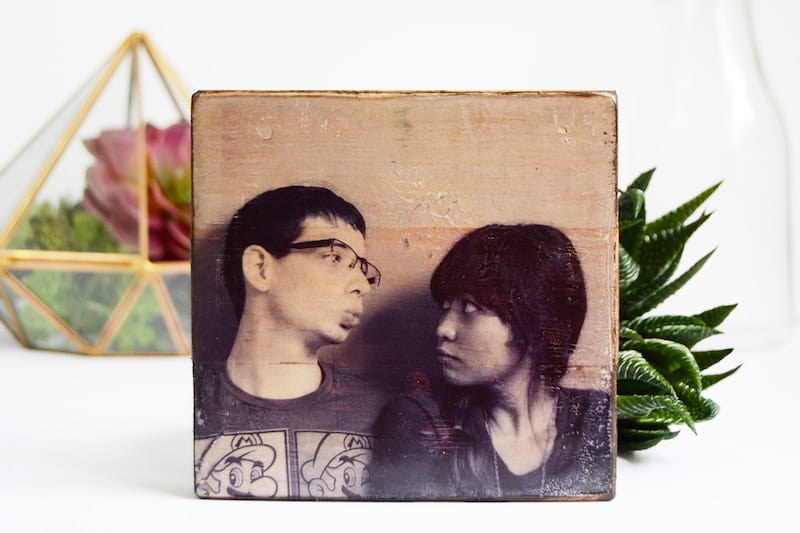
Yep, you heard right! You can do an inkjet photo transfer to wood with just Mod Podge. I love transferring images to wood – they make these personalized rustic little pieces that are perfect to just sprinkle around the house or to give as a small personalized gift.
You don’t need a laser printer or photo transfer medium for this tutorial. It’s different from the Mod Podge photo transfer medium in that it gives your image a clear background.
You might be wondering how the image goes from the inkjet printer/whatever you print out, and onto the wood. It’s magic! It’s actually not magic though.
The basic process is that you will print an image onto a stencil sheet (not photo paper) that has dried glue on top. You will apply Mod Podge to wood, then place the photo/stencil sheet face down into the Podge. 24 hours later, you’ll peel the stencil sheet from the wood and the photo will be left behind!
And this is how you transfer inkjet images to wood using Mod Podge.
Mod Podge Formula to Use
There are several Mod Podge formulas you can use – I recommend sticking with the basic formulas of Gloss, Matte, or Satin. It really doesn’t matter which, it’s all about the finish you like.
Stay away from the Outdoor and Fabric formulas, or any Mod Podge that’s a bit thicker. You want regular consistency medium for this project.
In addition, don’t get confused by the photo transfer formula. It’s not the same thing as regular Mod Podge at all. The transfer medium uses laserjet images and can’t be used decoupage.
Are you interested to see how I did this craft? I know you’ll use this technique for transferring photos all the time after I teach you. So read on!
Gather These Supplies
- Plastic stencil sheet
- PVA Glue (normal school glue)
- Mod Podge Matte or Gloss
- Sponge brush
- Ink Jet Printer
- Wood block
- Wood stain
- Sandpaper
This project does take time, but it gives fantastic image transfer results without the hassle of wetting the image and rubbing the paper off. The stencil sheet can also be used again!
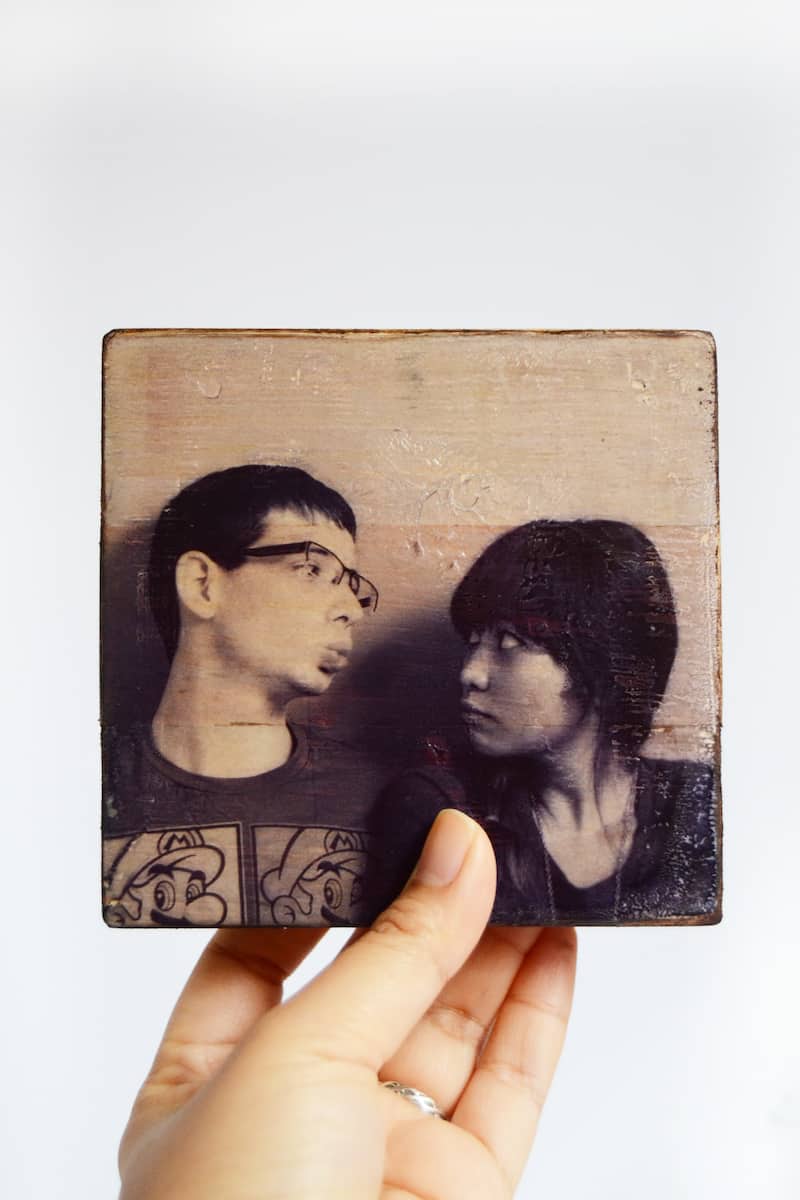
What image would you transfer? Have fun crafting and don’t forget to follow me on social media or my blog for more ideas, freebies and tutorials!

Mod Podge Photo Transfer with Inkjet
Equipment
- Printer and paper
- Sandpaper
Materials
- Plastic stencil sheet
- PVA glue normal school glue
- Mod Podge Matte or Gloss
- Wood block(s)
- Wood stain
Video
Instructions
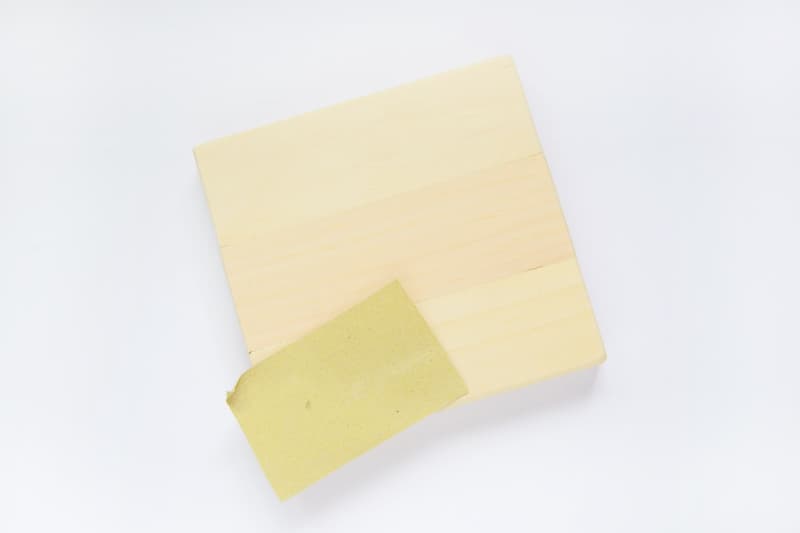
- Sand the wood block – you want the surface to be as smooth as possible for better image transfer. Wipe away any dust with a tack cloth or wet cloth.
- Paint two thin layers of glue onto the shiny side of the stencil sheet. You can use transparency films as well, if that is what you have on hand.
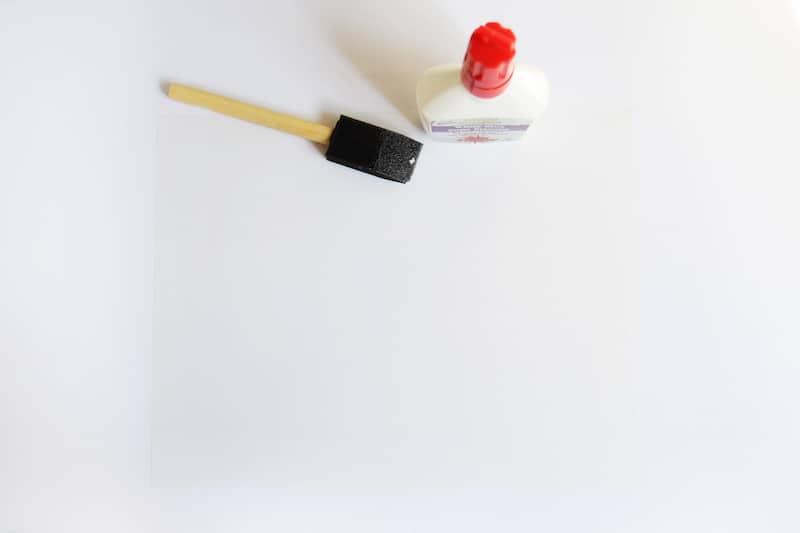
- Once fully dry, print the image onto the glue covered stencil sheet with the printer. Allow the printed image to FULLY DRY before proceeding to the next step.
- Paint a layer of Mod Podge onto the wood block and carefully lay the image on top. Using the stencil sheet will allow you to align it much easier with the wood edges. Smooth slightly with your hands.
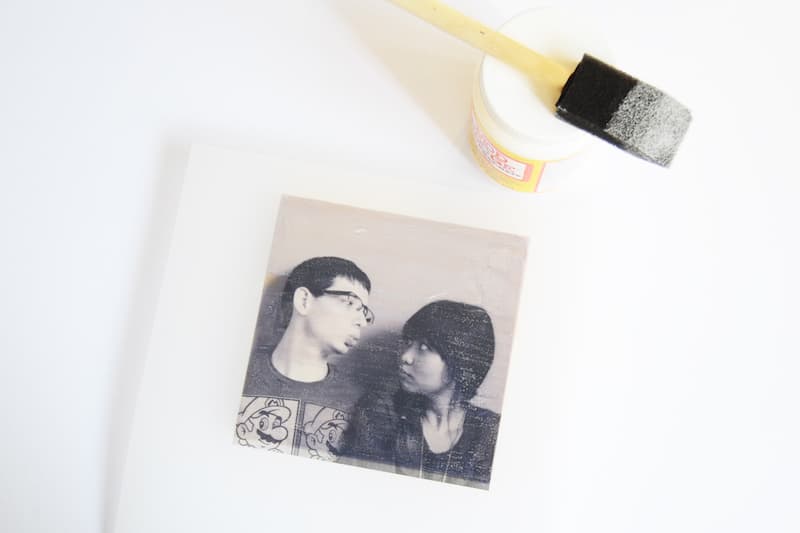
- Wait until the Mod Podge is dry on the inkjet transfer to wood (I let mine dry overnight – 24 hours is recommended). Lightly run the tip of a craft knife onto the sides of the wood before peeling to separate the image from the rest of the glue that dried. Peel carefully, again making sure the image is fully dry or it won’t transfer perfectly.
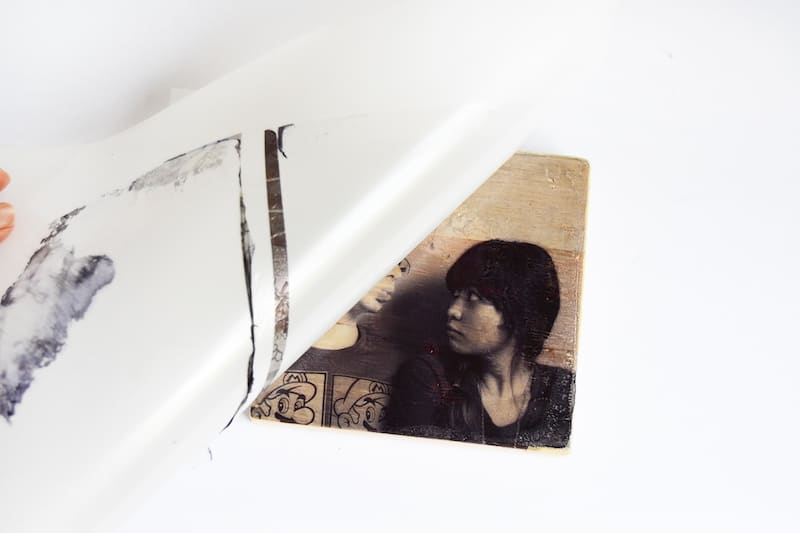
- Stain the sides and the back of the wood block and let that dry to finish.
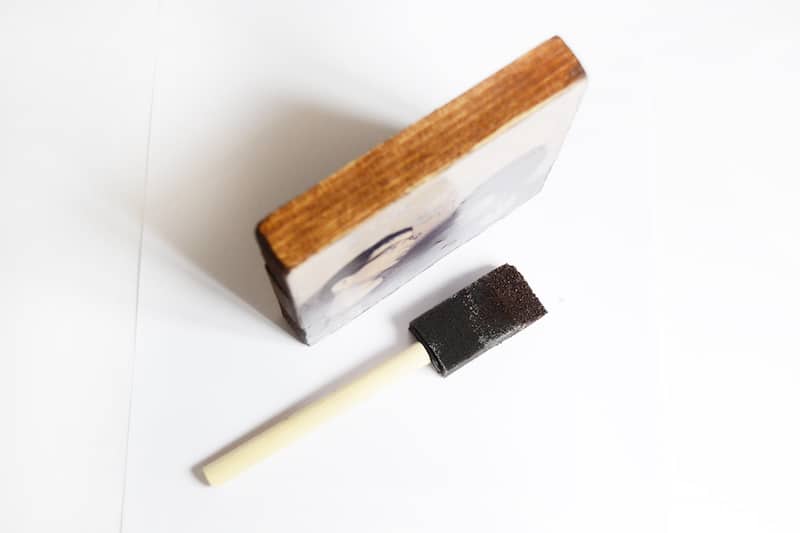
Notes
This was inspired by another inkjet photo transfer we spotted at Photojojo! If you enjoyed this craft idea, let me know in the comments! Plus check out these other photo ideas here:
Breakfast in Bed Tray • Family Reunion Centerpiece • How to Transfer Photos to Wood • Modern Photo Blocks • Photo Keychain • Transfer Paper to Fabric • Transfer Photos to Fabric • Transfer to Canvas • Transfer to Furniture • Transfer to Glass • Transfer to Metal • Wooden Photo Blocks

INKJET PHOTO TRANSFER TO WOOD WITH MOD PODGE
Do you have Video how to do this it would much easier following a step by step video on how to do all that thanks Elaine
Elaine, I think that’s a great idea! I’ll do one before the end of the year.
What is a stencil sheet? Where do I find one?
This is the link to the stencil sheets in the post: https://amzn.to/3auGowJ
You can probably get them at an office supply store and at craft stores as well! WalMart may also have them.
I do not understand the stencil step. Why mod podge it? It dries…then does it stick to photo which you also let the photo dry before laying it down?
Hi Bette! You are Mod Podging the image then placing it face down on the block while still wet – when it dries, the image will transfer to the block and you can peel it up and leave the image behind. The stencil sheet is slick, enabling the sheet to be peeled up and leaving the image behind on the wood block.
Is this the stencil film I would need for the project ?
ORAMASK 811 Stencil Film 1
White dyed stencil film (special PVC, 80 micron)
Matte finish, Opaque
For all paint and spray techniques on smooth, flat surfaces
Due to its high degree of stiffness especially suitable for large formats
Great for creating painted signs
Polyacrylate, Removable
Developed for use in stencil applications that require a more rigid film. Best for use with etching and painted backgrounds, as you paint will be not be pulled up!. Oramask 811 has a clear, low tack and water soluble adhesive. Best for use with water based and latex paints.
I don’t think it will work on this – this film is used as like a vinyl stencil and not a reusable stencil sheet (transparency sheets would work best as substitute).
Does it only work on wood or can you transfer onto tiles etc?
Love this, Amy! Great project!
Hi. I really like the idea of this… Stupid question… I assume we print onto the glued side side of the stencil paper, but does the image need to be reversed? I’m guessing yes, similar to the paper transfer methods. It looks like it would leave better image than paper does.
Hi Crys – yes, you can reverse the image if you want it to show up the same way on screen OR you have text 😀
I like really the idea of this project, but I think you need to edit the instructions so they make more sense. Thanks much!
Could you use freezer paper this way instead of stencil paper?
This is such a great idea. Thank you for sharing this one. But there are a few things that I am not clear about…..
In Step 3, do we need to *press* the image flat, or use a roller, brayer, or even our hands or anything like that? How do you ensure that the entire image is making contact with the Mod Podged surface?
Step 4: I guess I just don’t understand at all. Can you post a photo of what you mean by running a craft knife “onto the sides of the wood” means? I must be slow, but I am not getting this concept.
Thanks!
Hi Lyone! Step 3 yes just smooth out with your hands a little bit. And for Step 4, you’ll just take your craft knife and run it right along where the page attaches to the wood block if there is dried glue there keeping you from pulling the sheet up. You might not need a craft knife, but you’ll know if you do the project if you need something to help you release the sheet. You can probably use another household tool as well 😀