
Did you know you can transfer INKJET printed images onto wood? Yes . . . this inkjet photo transfer to wood is easy with Mod Podge and regular school glue.
Skills Required: Intermediate Beginner. You should have prior crafting experience before attempting this craft; preferably with Mod Podge. It’s not necessarily hard, but it can get tricky so it’s best if you have experience with the materials.
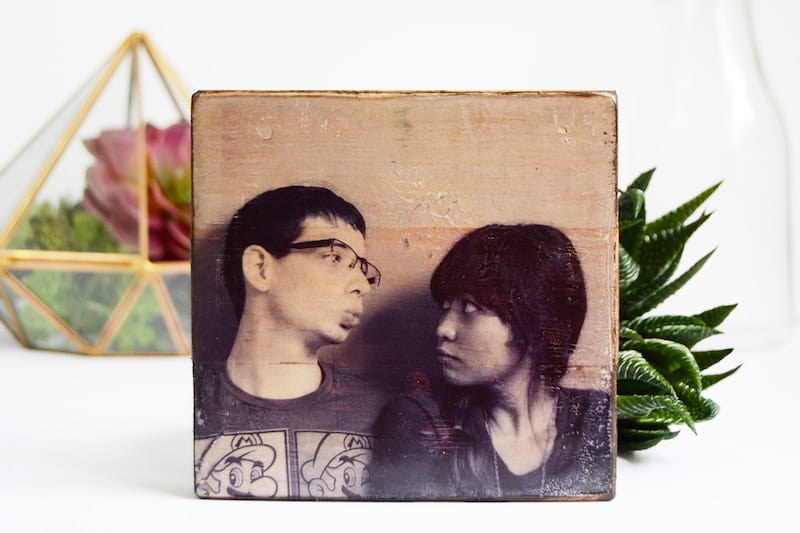
Yep, you heard right! You can do an inkjet photo transfer to wood with just Mod Podge. I love transferring images to wood – they make these personalized rustic little pieces that are perfect to just sprinkle around the house or to give as a small personalized gift.
You don’t need a laser printer or photo transfer medium for this tutorial. It’s different from the Mod Podge photo transfer medium in that it gives your image a clear background.
You might be wondering how the image goes from the inkjet printer/whatever you print out, and onto the wood. It’s magic! It’s actually not magic though.
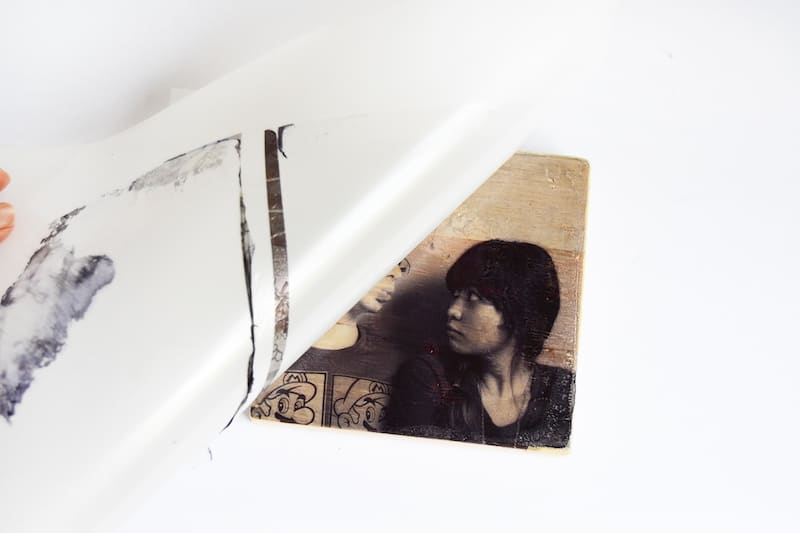
The basic process is that you will print an image onto a stencil sheet (not photo paper) that has dried glue on top. You will apply Mod Podge to wood, then place the photo/stencil sheet face down into the Podge. 24 hours later, you’ll peel the stencil sheet from the wood and the photo will be left behind!
And this is how you transfer inkjet images to wood using Mod Podge.
Mod Podge Formula to Use
There are several Mod Podge formulas you can use – I recommend sticking with the basic formulas of Gloss, Matte, or Satin. It really doesn’t matter which, it’s all about the finish you like.
Stay away from the Outdoor and Fabric formulas, or any Mod Podge that’s a bit thicker. You want regular consistency medium for this project.
In addition, don’t get confused by the photo transfer formula. It’s not the same thing as regular Mod Podge at all. The transfer medium uses laserjet images and can’t be used decoupage.
Are you interested to see how I did this craft? I know you’ll use this technique for transferring photos all the time after I teach you. So read on!
Gather These Supplies
- Plastic stencil sheet
- PVA Glue (normal school glue)
- Mod Podge Matte or Gloss
- Sponge brush
- Ink Jet Printer
- Wood block
- Wood stain
- Sandpaper
This project does take time, but it gives fantastic image transfer results without the hassle of wetting the image and rubbing the paper off. The stencil sheet can also be used again!
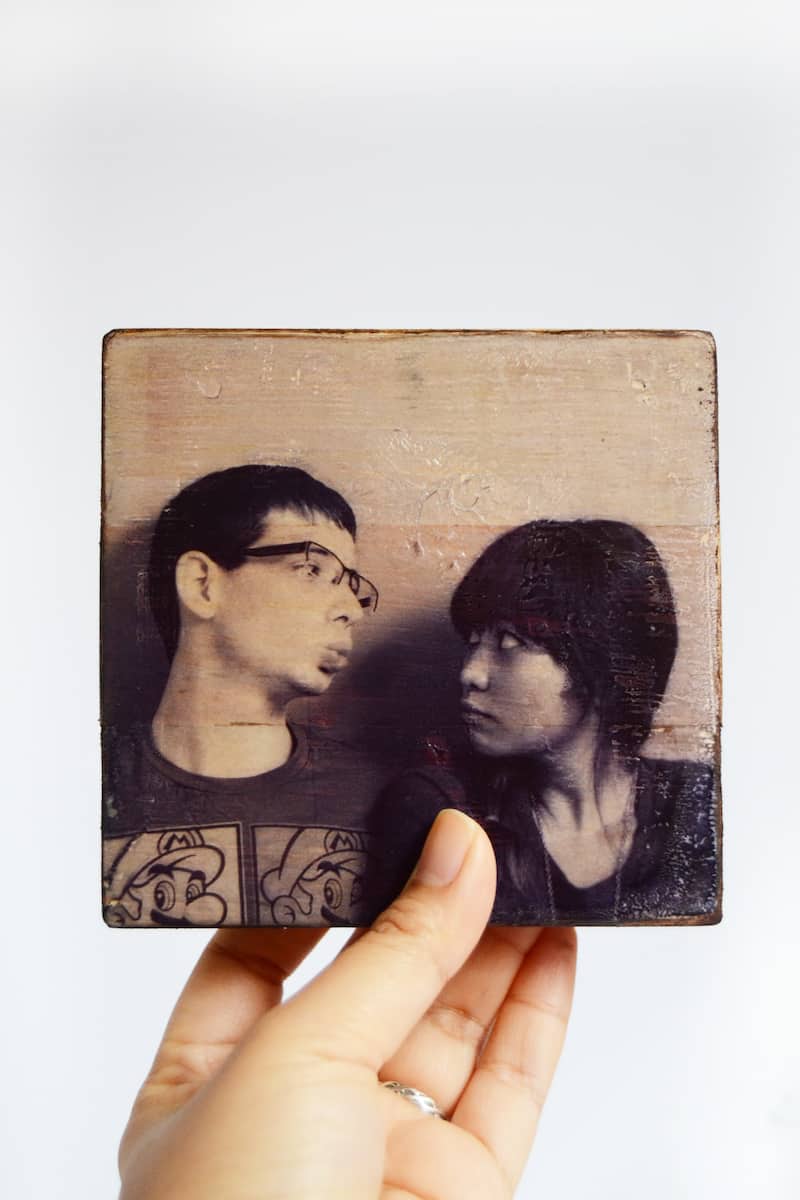
What image would you transfer? Have fun crafting and don’t forget to follow me on social media or my blog for more ideas, freebies and tutorials!

Mod Podge Photo Transfer with Inkjet
Equipment
- Printer and paper
- Sandpaper
Materials
- Plastic stencil sheet
- PVA glue normal school glue
- Mod Podge Matte or Gloss
- Wood block(s)
- Wood stain
Video
Instructions
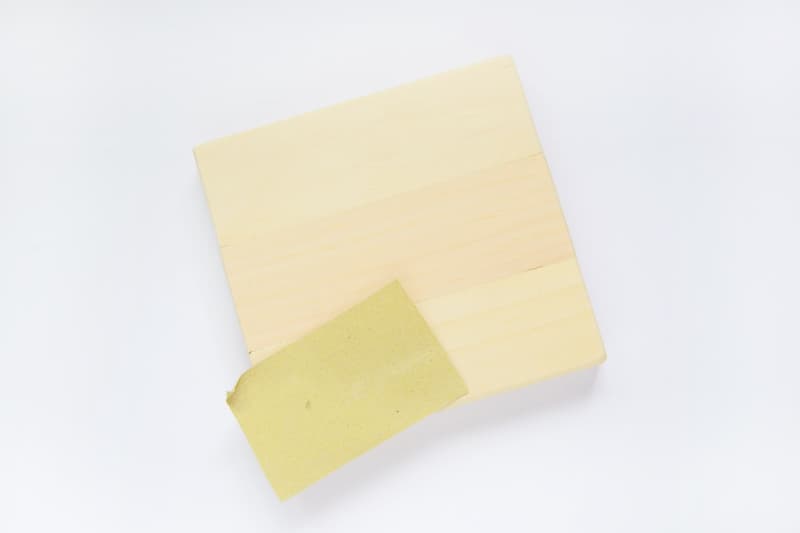
- Sand the wood block – you want the surface to be as smooth as possible for better image transfer. Wipe away any dust with a tack cloth or wet cloth.
- Paint two thin layers of glue onto the shiny side of the stencil sheet. You can use transparency films as well, if that is what you have on hand.
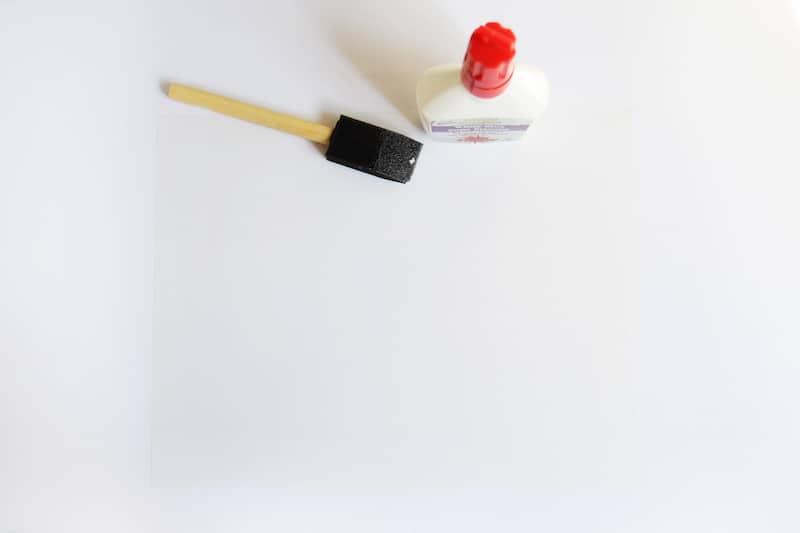
- Once fully dry, print the image onto the glue covered stencil sheet with the printer. Allow the printed image to FULLY DRY before proceeding to the next step.
- Paint a layer of Mod Podge onto the wood block and carefully lay the image on top. Using the stencil sheet will allow you to align it much easier with the wood edges. Smooth slightly with your hands.
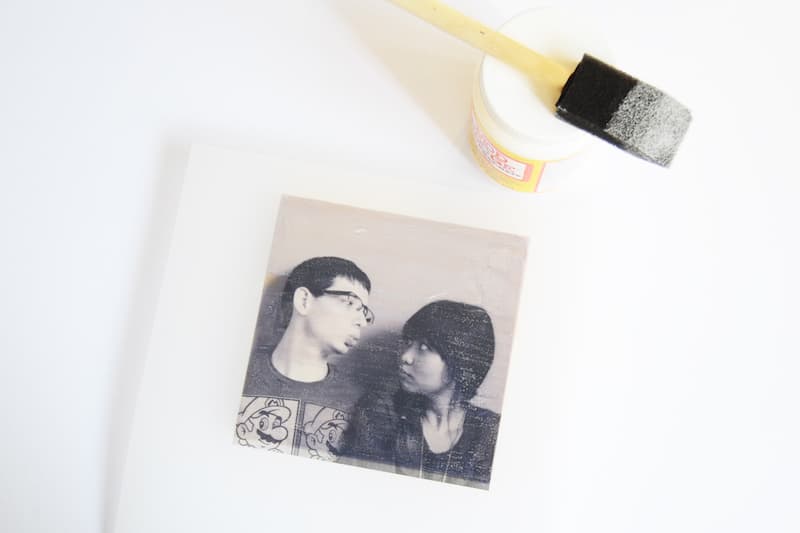
- Wait until the Mod Podge is dry on the inkjet transfer to wood (I let mine dry overnight – 24 hours is recommended). Lightly run the tip of a craft knife onto the sides of the wood before peeling to separate the image from the rest of the glue that dried. Peel carefully, again making sure the image is fully dry or it won’t transfer perfectly.
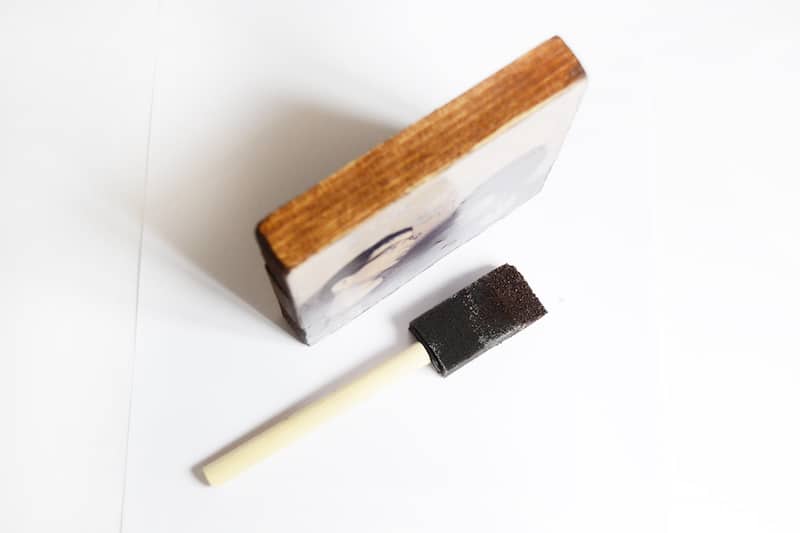
- Stain the sides and the back of the wood block and let that dry to finish.
Notes
This was inspired by another inkjet photo transfer we spotted at Photojojo! If you enjoyed this craft idea, let me know in the comments! Plus check out these other photo ideas here:
Breakfast in Bed Tray • Family Reunion Centerpiece • How to Transfer Photos to Wood • Modern Photo Blocks • Photo Keychain • Transfer Paper to Fabric • Transfer Photos to Fabric • Transfer to Canvas • Transfer to Furniture • Transfer to Glass • Transfer to Metal • Wooden Photo Blocks


Hi I have finished this project and it worked really well on clear plastic projector paper with a thin layer of pva glue. Then once dried transferred onto wood with a layer of watered down pva glue. Once dried I peeled the clear plastic film off. I am wondering if I need to spray a clear sealer over the top to protect it now?
After transferring your pictures and let dry, can you use a glossy coat over the front of your wood (and pictures) if you want a glossy look to your work or would it smear the picture?
Hello. I tried this method, but when I went to separate the stencil sheet and the wood, the glue/print layer stuck more to the stencil than to the wood, and some did not stick to either. What I wound up with was mostly a separated layer that was sticking to neither. What was i doing wrong. I used 6 mil stencil sheets with 2 layers of Elmer’s School glue that had dried for 24 hours after the last application. I printed onto this (it look like a good print) and let dry for 24 hours. I coated my wood (sanded 150 grit poplar) liberally with the regular mod pudge and also let sit for over 24 hours.
What did I do wrong?
It was so simple and it came out beautifully thank you! Plus it is a cheap but beautiful piece you can’t beat that .
Hi there! I have this:
Uinkit Inkjet Transparency Film 20 Sheets 8.5×11 OHP Overhead Projector Film for DIY Crafting 20 Pack For Inkjet Printer Clear https://a.co/d/3arvWwH
I attempted the project following your instructions, but part of the kids glue stayed intact and part of it peeled off. On some of the parts that did peel off, some of the ink stayed and some didn’t.
I’m wondering if I can print directly on the transparency film (without the glue) and just put that on the wet Mod Podge so just the ink transfers as I don’t like the shiny look of the kids glue?
Love the idea!!! I have an inkjet printer so all the other instructions/videos haven’t worked for me. I want this to work.
I just finished my project using your instructions, except I didn’t stain the wood (is that an issue? I did sand it though). I used the stencil from Amazon (10 Pack 4 Mil CLEAR Mylar Stencil Sheets, 12″ x 12″ Blank Stencils, Reusable Template Material, Make Your Own Stencil Compatible for Cricut Vinyl Cutting Machine).
I let it sit overnight. Not quite 24 hours. It was totally dried to the wood.
I tried peeling the stencil sheet away from the wood, first, it takes time to peel it off. I still have some on the wood – I am peeling all the sheet off the wood??,
Second, it took some of the picture off the wood and you could hardly see the transferred picture.
What am I doing wrong?
@Terry,
I’m kinda wondering the same thing?
I peeled off the stencil sheet and then am I peeling off the glue layer or no? Is the glue layer the layer that transfers onto the wood?? As opposed to the image colours embedding themselves into the wood like it would with a fabric?
Is this right?
PS very new to modpodge but loving the idea of what it is capable of. I use to decoupage with my mum when I was little and id love to be able to do that with my little girl.
FEVERWORK 20Pcs A4 Inkjet Film Screen Printing Paper Transparent PCB Print Stencil https://www.amazon.co.uk/dp/B07FDZYY7H/ref=cm_sw_r_awdo_navT_g_RRCA4FWGK4FG8EA3T76B
Is this type of stencil sheet OK for image transfer?
Yes that should work!
I see that you can seal this with mod podge when transferred. Can you also use polycrylic instead? Also do you know if this will work on ceramic tiles?
Hi Gina! Yes you can use polycrylic. Ceramic tiles often have a smooth coating on top. You’d probably want to sand the tile first. I *think* it would work.
Hi Amy! Thanks for this tutorial but I do have a question or two. You said no laser printer is necessary but you also refer to the pictures being printed on a laser printer so I’m a bit confused. I’ve got brain fog from chronic migraines so if I have read your article wrong and missed something I do apologize. I love this idea for Christmas gifts and only have an inkjet printer so if a laser print is required for this craft could you recommend where to get laser printed photos from? I’m excited to do this project and look forward to a little help. Thanks and have a great day 😊
Hi Jessica! No worries. In the article I mention that if you have a laserjet printer, you would use the photo transfer medium, not regular Mod Podge. This is what the photo transfer medium looks like, a completely different bottle: https://www.amazon.com/Mod-Podge-Transfer-8-Ounce-CS15067/dp/B00CHQ8IJA/
For this, yes you will use an inkjet printer. Follow the instructions with your printer and you should be totally fine! The reason laserjet is mentioned is so that people understand there is a difference and that this tutorial is for INKJET. Thank you!